In the following article, we will show by means of a few examples, how allocation rules or the combination of Office 365 user attributes affect the Signitic Coral (ex. Mailtastic) departments.
In particular, we address cases where an Office 365 user information contains more than one value separated by a separator such as ";".
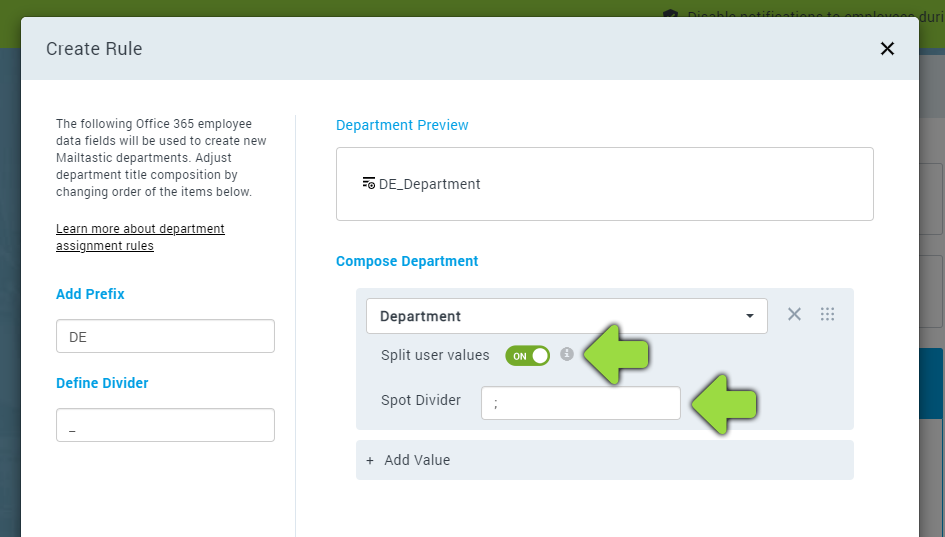
-
Examples:
Office 365 User Information:

This results in the following Signitic Coral division:

Office 365 User Information:

This results in the following Signitic Coral departments:

Office 365 User Information:

This results in the following Signitic Coral departments:

Office 365 User Information:

This results in the following Signitic Coral departments:

-
Do you still have questions?
No problem - we are happy to help you personally! Just use our free live chat (bottom right).