
Sometimes it happens that the graphics of the signature are not loaded automatically. In the following article you will learn how to deal with this.
Internal
If not solved centrally, the employees can set their e-mail signatures in Outlook to ensure that their own company signatures are always displayed properly. This is how it works:
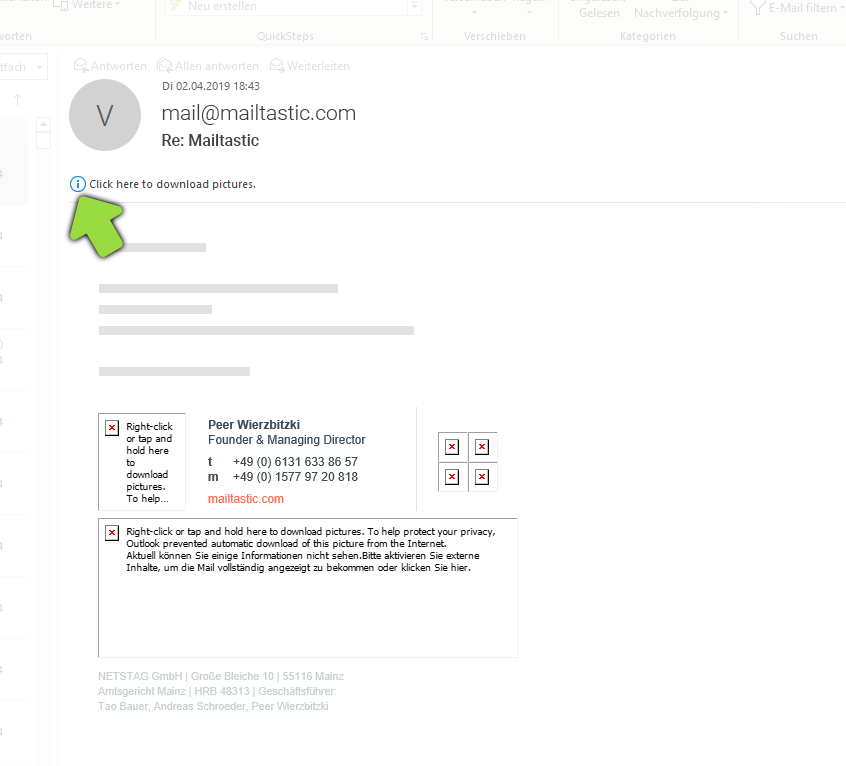
#1 Open a mail sent from your domain and click on the small info icon under the title of the mail.
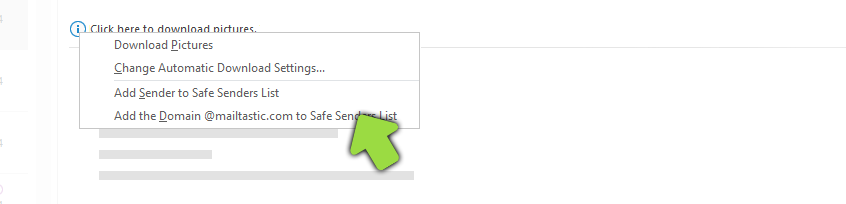
#2 Select the option "Add the domain [...] to the Safe Senders list" to automatically display external content from this domain by default.
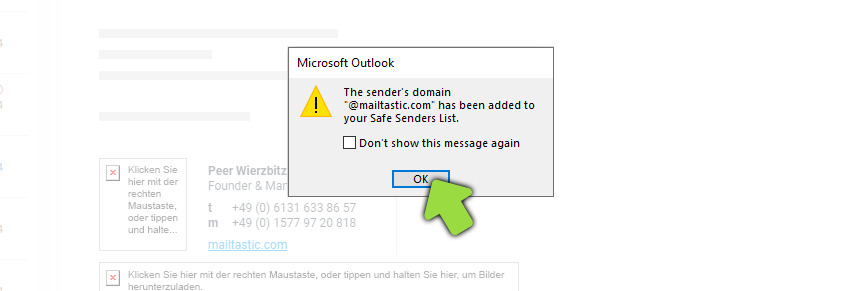
Done! Graphics in emails sent from this domain - also from your colleagues - are automatically loaded from now on. If mails of the company are forwarded or answered in the future, the signature will always be displayed correctly.
Do you have any questions?
No problem - we are happy to help you personally!Simply use our free live chat (bottom right).