
You have generated a CSV from your CRM to upload the domains of your customers to Signitic Coral (ex. Mailtastic), but in the column is the complete e-mail address, and not only the domain?
This is how you can easily separate the domain from the name:
Use the "Split text to columns" function in Excel and Google spreadsheets.
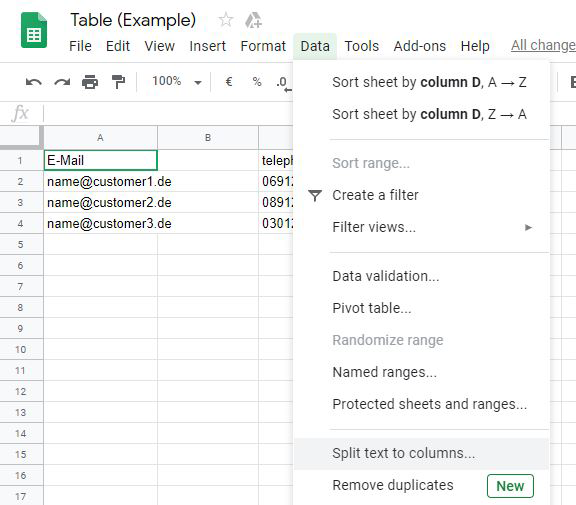

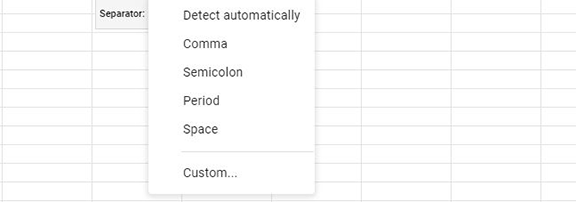
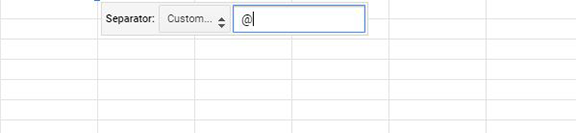
Switch from "Detect automatically" to Custom "@".
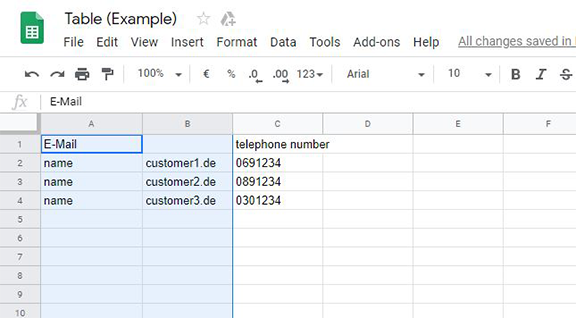
This splits the email address into name and domain. You can now use the domain to upload it to your target groups in Signitic Coral.
Do you have any questions?
No problem - we will be happy to help you personally! Simply use our free live chat (bottom right).