
Since macOS Ventura you normally do not have to grant any rights after the installation of our latest version of EasySync for Mac - this is done automatically during the installation.
If you want to check if all rights are properly granted you can follow the steps below:
First of all navigate to your system settings. For example by opening your finder and typing in "system settings". Then conduct the following steps:
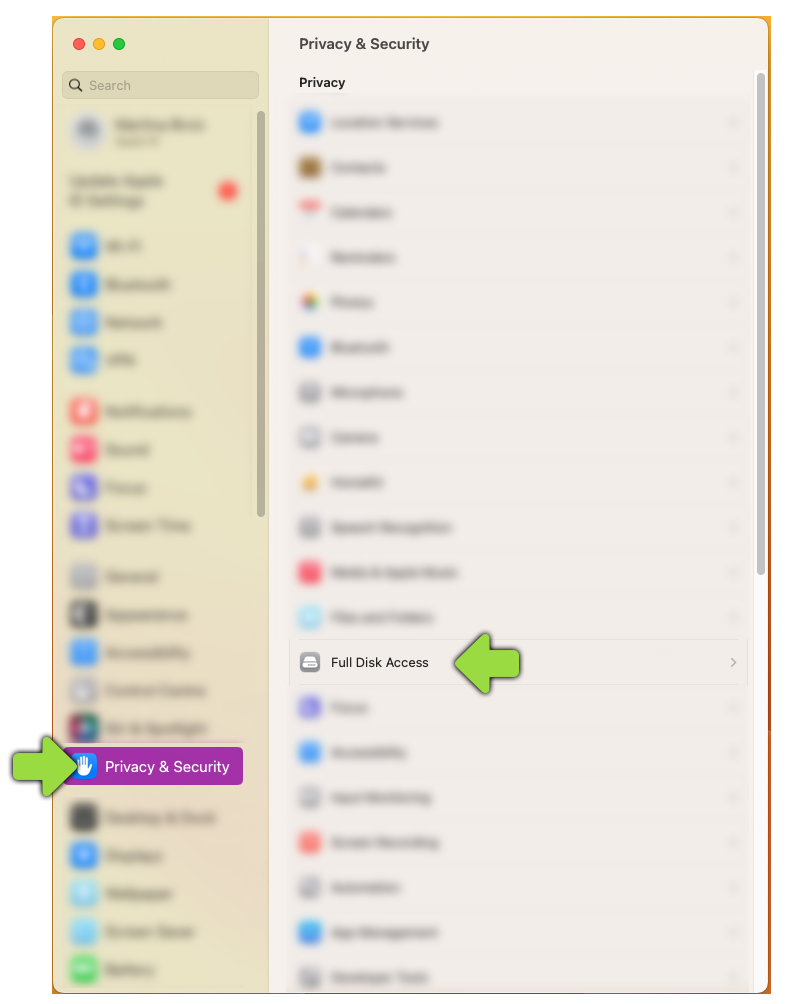
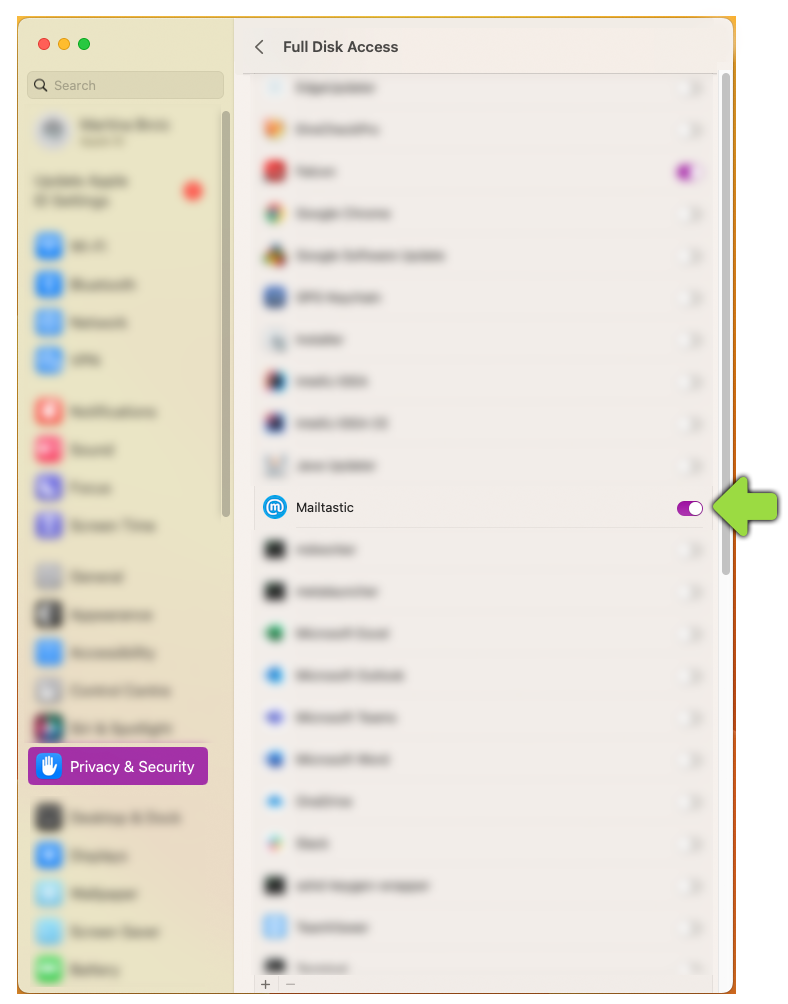
1. Grand hard disc rights
Click on "Privacy & Security"
Click on "Full Disk Access"
Enable "Mailtastic"
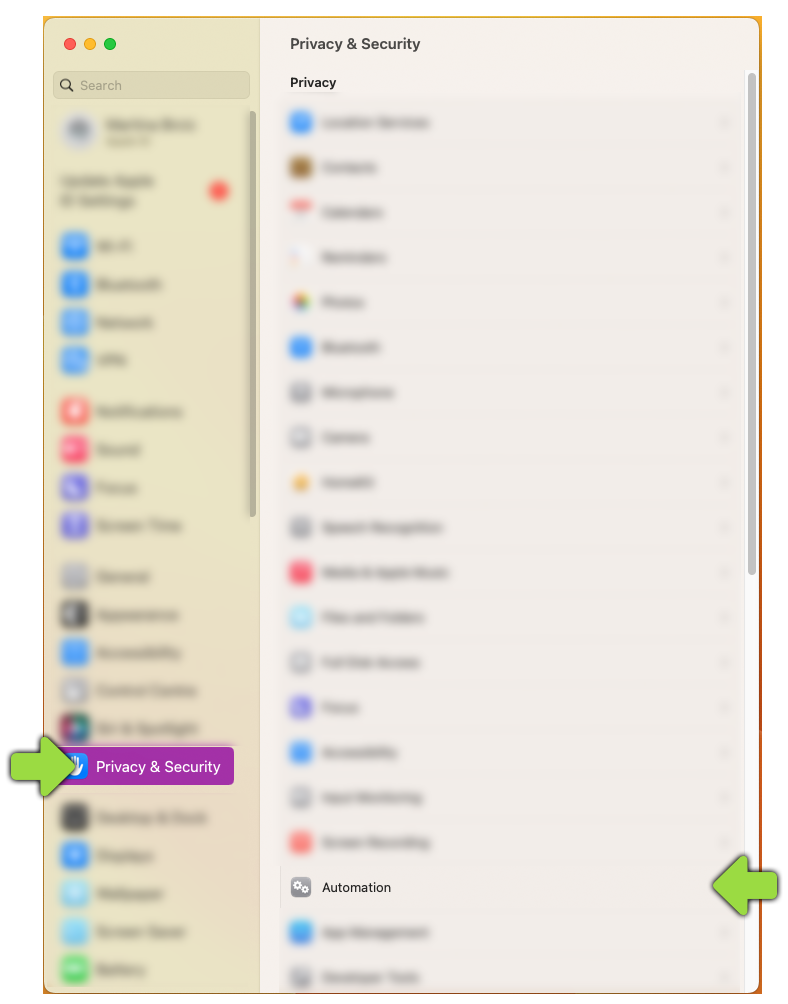
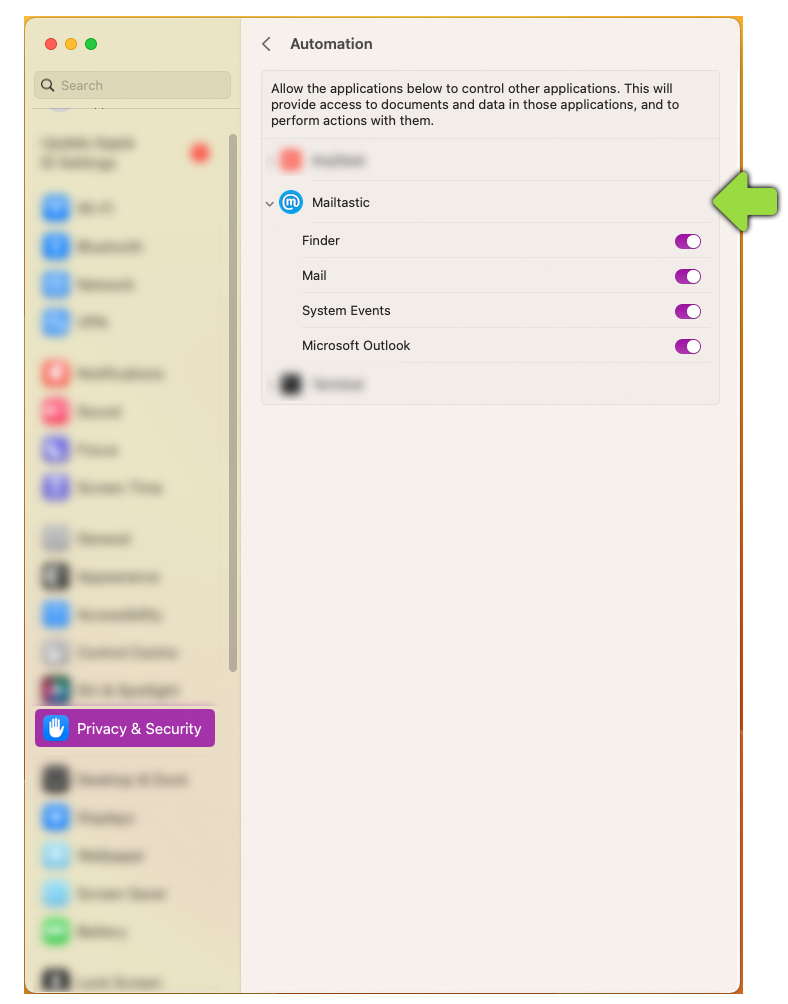
2. Grand automation rights
Click on "Privacy & Security"
Click on "Automation"
Expand "Mailtastic"
Enable all options
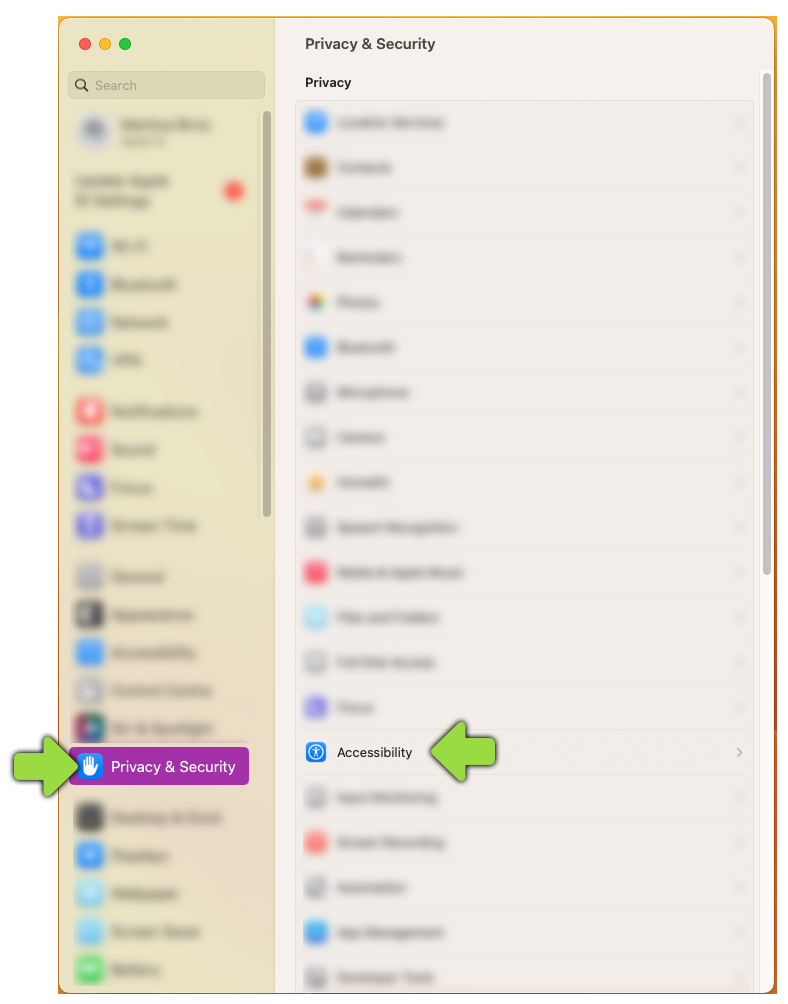
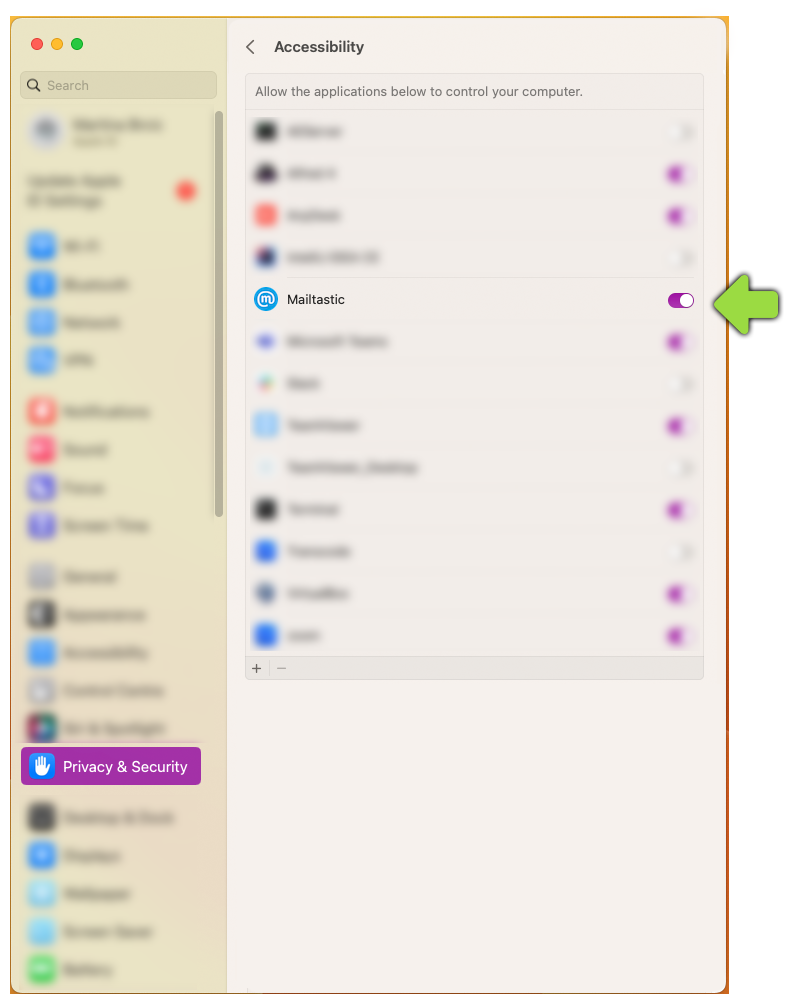
3. Grand accessibility rights
Click on "Privacy & Security"
Click on "Automation"
Enable "Mailtastic"
That's it!
Do you have any questions?
No problem - we would be happy to help you personally!Simply use our free live chat (bottom right).