Are you using Pardot as part of your marketing tech stack? Then you've come to the right place. Enable the Signitic Coral (ex. Mailtastic) Pardot integration to deliver personalized email signature campaigns to Pardot contacts via Signitic Coral.
-
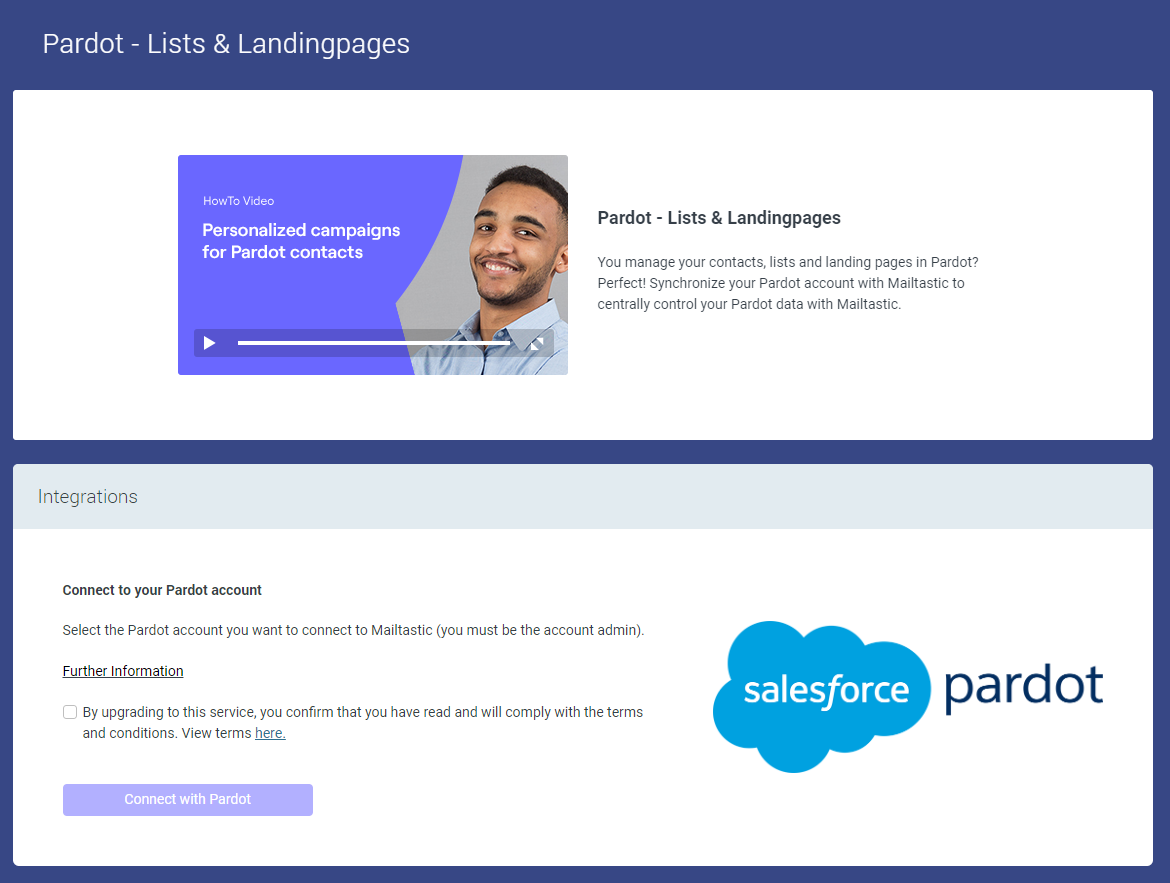
Navigate to the "Integration" menu point, click on "Marketing Integrations", open the Pardot integration, and get connected to your Pardot account.
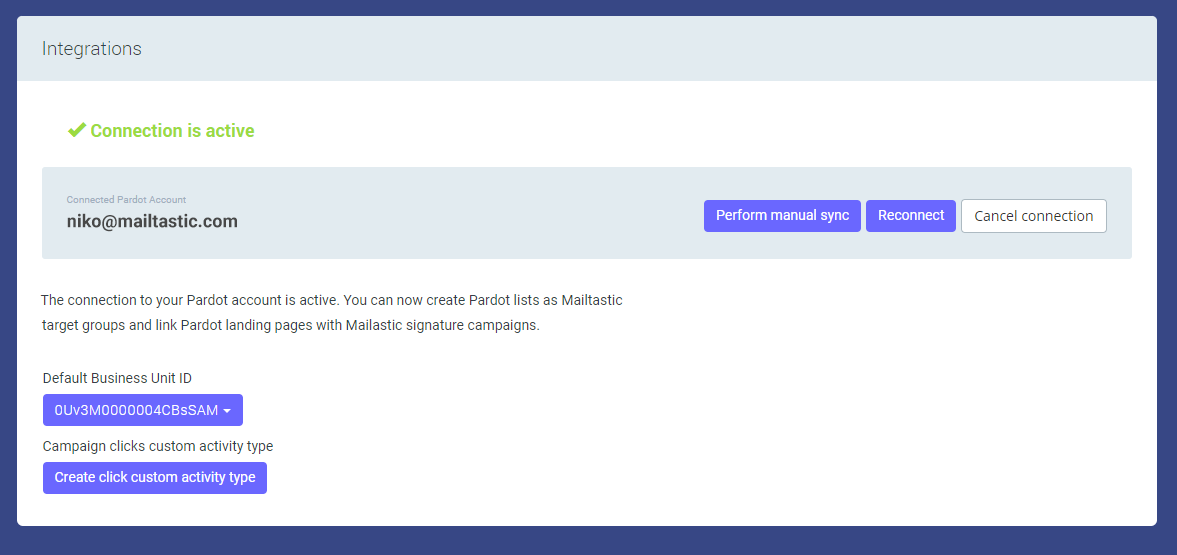
Once you have created the connection activate "Create clicks custom activety type" in the Pardot Integration settings, if you want to make clicks on Signitic Coral signature campaigns visible in Pardot.
-
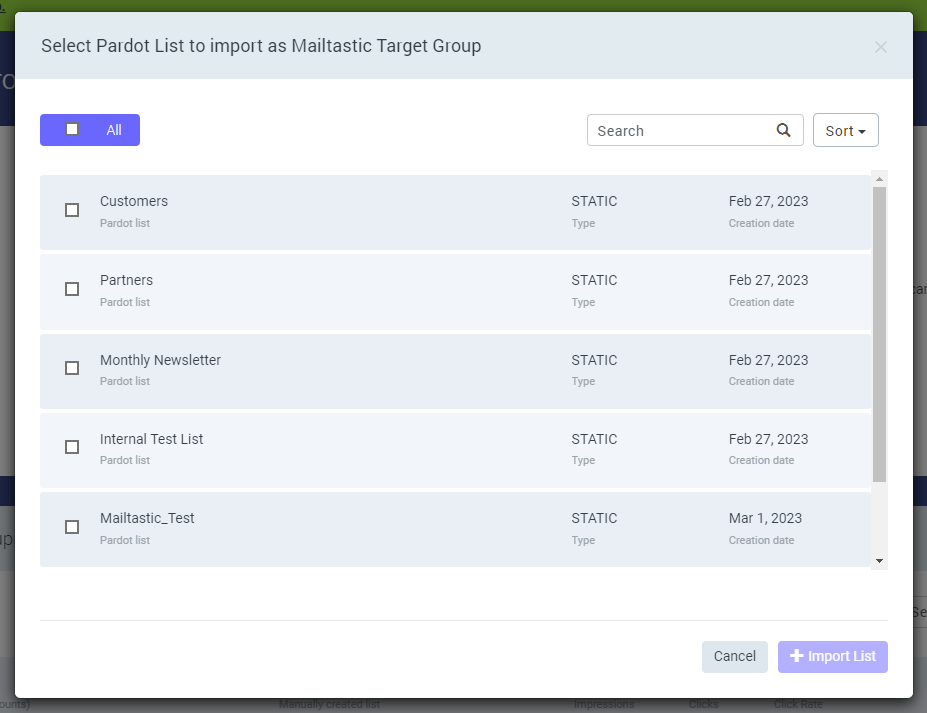
You can import your Pardot contacts to Signitic Coral to provide them with personalized email signature campaigns.
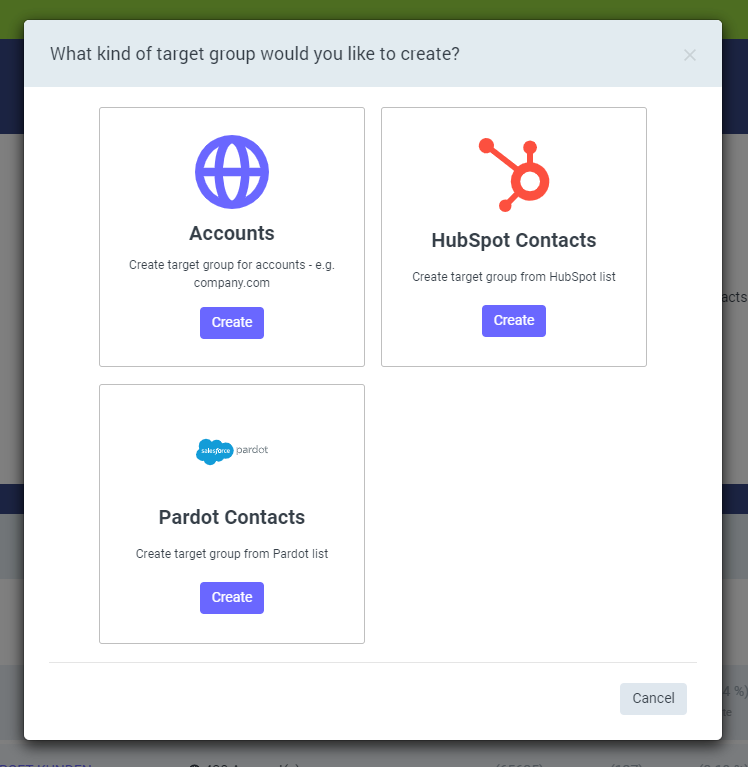
Navigate to "Marketing" -> "Target Groups" to create a new target group. Choose "Pardot Contacts" to create a Signitic Coral target group from an existing Pardot list.
-
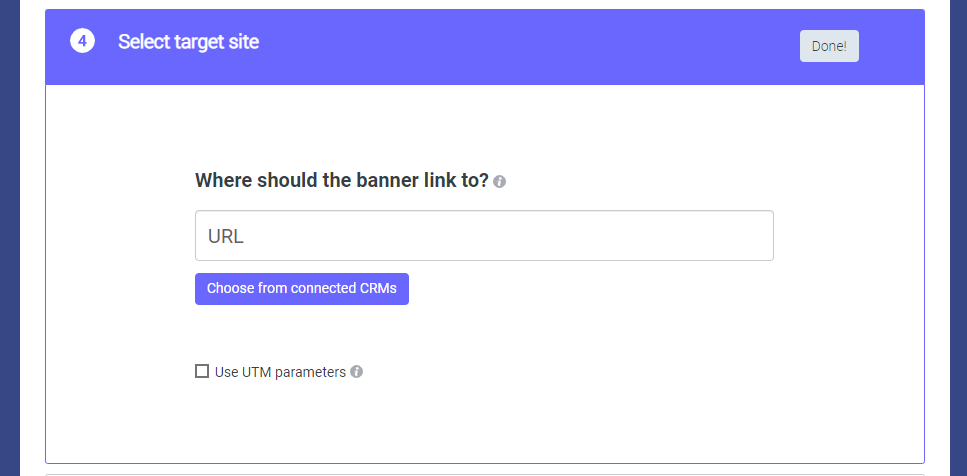
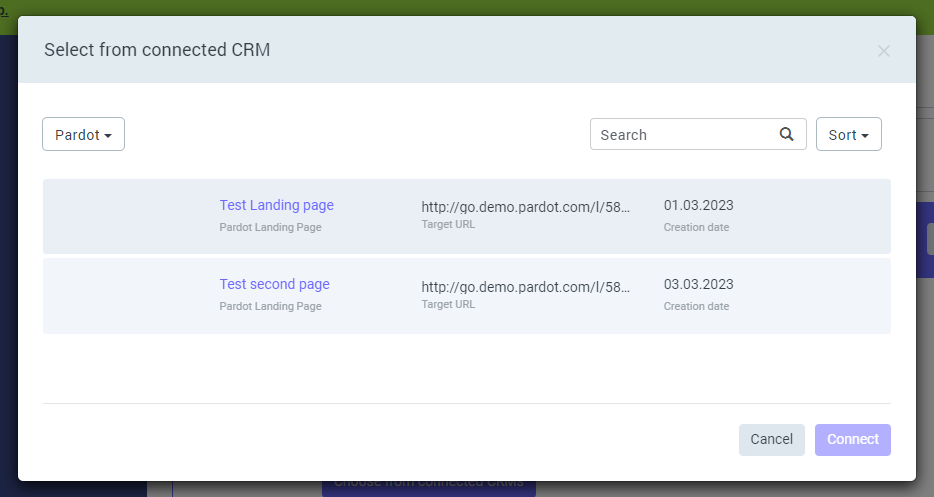
Instead of entering a complex URL you can directy chose a target from your existing Pardot Landingpages when creating a recipient-based campaign within Signitic Coral.
Simply click on "Choose from connected CRMs" in the "Select target site" section when you compose a recipient-based campaign and select a Pardot landing page.
You can use this campaign with contact or domain target groups.
-
Within CRMs like Pardot it can happen that recipients are part of multiple contact lists while on Maitlastic contacts and domains can only be in one target group at the same time.
We offer two different options to determine which campaign is played for a recipient, if the assignment to a target group or campaign is not clear, due to his affiliation to several CRM lists linked to Signitic Coral contact target groups.
You can choose whether to play the campaign assigned to the contact list where the recipient was last assigned, or the campaign last assigned to one of the lists to which the contact belongs.
Read more in our Campaign Priorities article.
-
Pardot → Signitic Coral
Pardot Contact Lists with corresponding information
Pardot Contacts with corresponding information
Pardot Landingpages with corresponding information
Signitic Coral → Pardot (IF "Create click custom activity type" activated)
Clicks on Signitic Coral campaigns generated by Pardot Contacts with corrensponding information
-
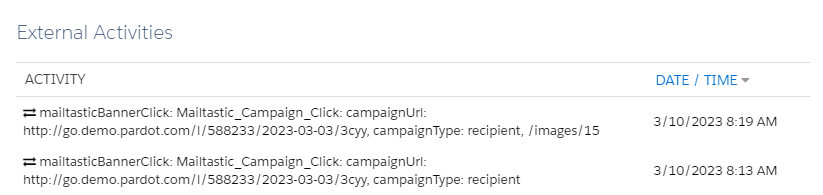
Within Pardot, an action is generated on the Contact (Activity Feed) when they have clicked on a Signitic Coral campaign. The action can be used as a trigger for further marketing automation processes within Pardot.
-
Do you have any more questions?
No problem - we will be happy to help you personally!
Simply use our free live chat (bottom right).